CraftNote – AI Note Taker
- 4.5
- Rating
- 500.00K
- Installs
- Free
- Price

 Analysis by App-foxy
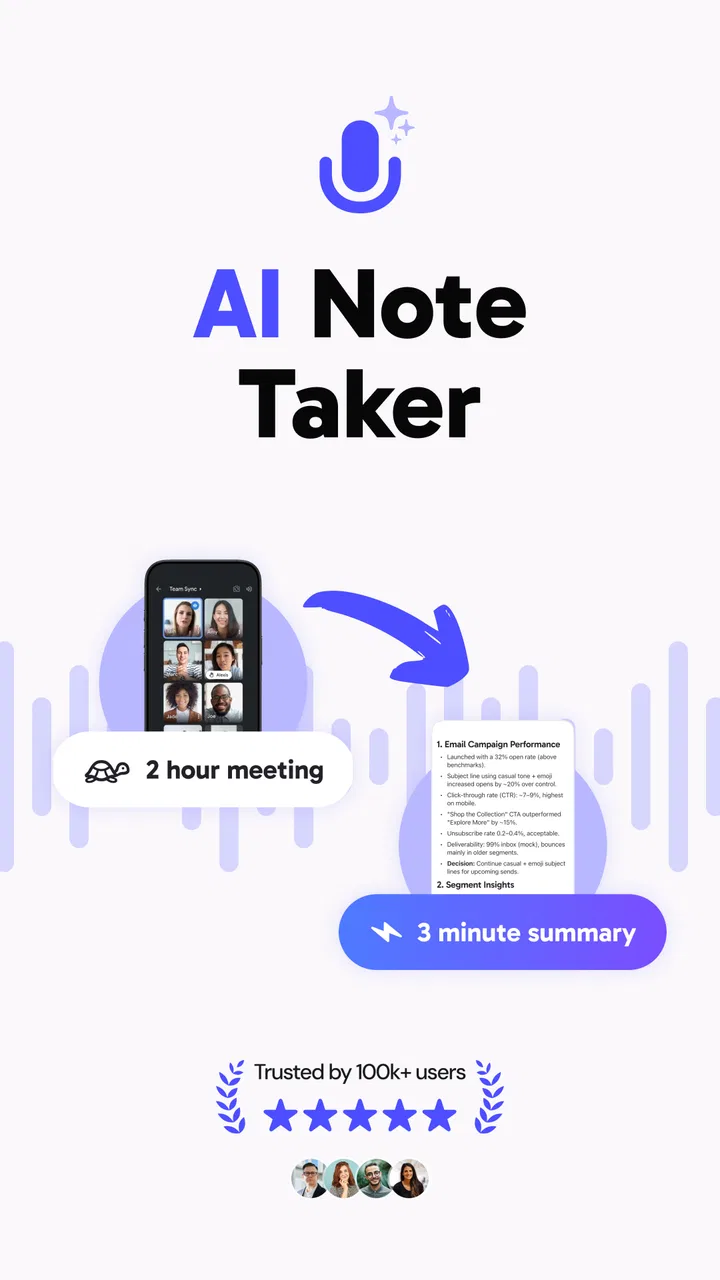
I approached CraftNote as a practical productivity app rather than another place to store random text. Its purpose is clear: help me capture meetings, turn speech into live text, and arrange the result into usable AI notes. That combination matters because recording is only the first half of the job. The real test is whether I can find the important decisions, tasks, and ideas afterward without replaying an entire conversation.
Developed by JoyoLabs Dijital, this free app sits in the productivity category and is aimed at people who regularly move between conversations and written follow-up. It has built a strong early audience, with a 4.5 average from around 42 thousand ratings and more than 500 thousand installs. Those figures suggest that the concept is resonating, but they do not remove the need to examine how it behaves during ordinary work, especially when a meeting is long, the device is busy, or the transcription needs correcting.
How CraftNote feels when speed matters
The first thing I notice with an AI note-taking tool is not the visual design; it is the delay between deciding to capture something and actually getting useful text. CraftNote is most valuable when it reduces that hesitation. Starting a note, recording a discussion, and seeing words appear live creates a more natural workflow than stopping every few minutes to type a summary manually.
You May Also Like

 Blood Strike: 2.5 Anniversary
Blood Strike’s Loadouts Turn Every Drop Into a Tactical Gamble
A close look at Blood Strike’s custom loadouts: how fast access to signature weapons reshapes its battle royale rhythm, rewards preparation, and narrows the gap between fights.

 Pandora - Music & Podcasts
Pandora’s Music Is Easy to Start, but Harder to Recover
Pandora’s strength is its low-effort path from a seed to a station. Its weak spot is how much confidence it asks you to place in connection, setup, and quiet recovery.

 8 Ball Pool
 Is Built on Rivalries, Rematches, and Routine
A close look at the rivalries, rematches, shared routines, and unanswered safety questions that turn a quick pool match into a persistent mobile community.

 Samsung Music
’s Quiet Strength Is Playing What You Already Own
Its reach comes less from spectacle than from dependable access to a personal library. That simplicity is both the app’s strongest retention engine and its ceiling.

 AccuWeather: Weather Radar
AccuWeather Review: A Quick, Clear Forecast for Everyday Decisions
For everyday plans, the best forecast is the one you can understand quickly. AccuWeather makes rain timing, radar, and local conditions easy to act on, with a few trade-offs.

 Hill Climb Racing
Why Hill Climb Racing Still Turns Crashes Into One More Run
A tiny car, a bumpy hill and one more upgrade: Hill Climb Racing keeps resurfacing because its simple chaos makes every near-miss feel personal.
More From Our News Desk
View All News


Live transcription also changes how I listen. Instead of trying to remember every detail, I can stay focused on the speaker and use the resulting text as a working record. That does not mean I would treat every line as perfect. Speech recognition can struggle with names, specialist terms, accents, interruptions, and people speaking over one another. The practical advantage is that I begin with a searchable draft rather than a blank page.
The app’s speed should be judged in two stages. The first is immediate capture: can I begin recording without turning the process into a distraction? The second is organization: can the raw conversation become notes that make sense later? CraftNote’s appeal comes from connecting those stages. A conventional voice recorder may capture sound quickly, but it leaves me with the slower work of listening again and writing everything myself. A standard notes app is excellent for deliberate typing, but it cannot provide the same hands-free capture.
That trade-off makes the app particularly suitable for meetings where ideas arrive faster than I can type. I would use it for an interview, a planning conversation, a lecture, or a personal brainstorming session. I would be more cautious during a discussion where every word must be quoted exactly, because a generated transcript is better treated as an editable working document than as a flawless official record.
A realistic meeting workflow
Imagine a weekly project meeting with several topics, a few decisions, and tasks assigned to different people. I would start a CraftNote recording at the beginning, leave the phone in a stable position, and avoid trying to create a polished outline while everyone is talking. Afterward, I would review the transcript with three goals: identify decisions, mark action items, and remove conversational clutter.
The useful insight here is that I would not ask the AI layer to replace my judgement. I would use it to shorten the distance between audio and a first organized draft. Before sharing the notes, I would check names, deadlines, numbers, and any sentence that changes responsibility. That small review step is essential. It preserves the time-saving benefit without pretending that automation understands every context perfectly.
For a one-to-one conversation, I would also add a short title immediately after recording rather than relying on memory later. A simple label such as “planning discussion” or “client questions” makes the note easier to recognize when several recordings accumulate. This is a modest habit, but it prevents the common problem of having many useful captures that become difficult to distinguish.
What happens during heavier use
The demanding moments are not limited to pressing the record button. A long conversation asks the phone to handle audio capture, live transcription, and organization as part of one continuous task. If I were using CraftNote for a full workday, I would begin with a charged device, enough free storage for the resulting material, and a position that keeps the microphone unobstructed.
I would also avoid treating live transcription as something that must be watched constantly. Staring at the words while people are speaking creates a different kind of distraction. A better approach is to glance at the text only when I need to confirm that capture is still active, then return my attention to the meeting. Notes are most useful when they support the conversation instead of making me manage the interface every few seconds.
Heavy use can expose a second limitation: organization becomes as important as capture. If I record every small thought without a review routine, the app may become a warehouse of unfinished material. My preferred workflow would be to process notes in batches, extracting tasks and decisions while the conversation is still fresh. I would keep the original transcript for context, but make the cleaned summary the version I return to.
That distinction is especially important for students and researchers. A recorded lecture can provide a valuable reference, yet a transcript alone is not a study plan. I would add my own headings, highlight concepts that need further reading, and write a short explanation in my own words. CraftNote can reduce the mechanical burden of capturing information, but learning still depends on active review.
Stability and recovery in everyday use
Reliability for this kind of app means more than whether it opens. I want confidence that a recording remains useful if I briefly switch attention, receive another notification, or make a mistake while speaking. I would develop the habit of checking the note after important sessions rather than assuming that a successful start guarantees a perfect result from beginning to end.
A sensible recovery routine is simple. At the start of a meeting, I would say a short identifying phrase or make a quick opening note so the context is clear later. At the end, I would leave a few seconds before stopping, then confirm that the session has been saved and organized. If the discussion contains critical information, I would also write down the key decision separately. That is not a criticism unique to CraftNote; it is good practice whenever automated capture is involved.
Interruptions deserve special attention. Phones are not dedicated recording devices, and an incoming call or an unexpected system event can change what the app is able to capture. I would not use it as the only record for a legally sensitive interview, a formal examination, or a conversation where losing a section would create serious consequences. For ordinary planning and personal productivity, the risk is easier to manage because I can verify the important points afterward.
The app’s recovery value is strongest when the transcript gives me enough context to reconstruct what happened. Even if a phrase needs correction, surrounding sentences may reveal the intended meaning. That is more helpful than a few isolated handwritten keywords. Still, I would keep a backup habit for irreplaceable material and avoid deleting the original capture until the cleaned notes have been checked.
Device limits and practical preparation
CraftNote supports devices running Android 8.0 or newer, which makes it accessible to a broad range of Android users. That does not mean every compatible phone will feel identical. Older hardware may have less room for background work, a smaller battery reserve, or slower handling when several apps are open. I would close unnecessary apps before a long session and keep the phone connected to power when recording for an extended period.
Resource demands are also shaped by the workflow. A short voice memo followed by a quick review is a lighter task than continuous capture with live transcription and later AI organization. If I planned to use it throughout a busy day, I would test it first in the exact conditions that matter: the same device, the same room, similar background noise, and the same way I normally hold or place the phone.
Microphone placement has a surprisingly large effect on usefulness. Placing the phone flat at the far end of a table may make distant speakers harder to distinguish, while keeping it nearer to the group can improve the source audio. I would never cover the microphone with a case, hand, or notebook. In a noisy café, I would expect more cleanup than in a quiet office, regardless of how capable the transcription system is.
There is also a privacy decision that belongs to the user. Before recording another person, I would make sure everyone understands what is happening and that the situation allows it. This is especially important for workplace meetings, interviews, classes, and client conversations. A technically convenient workflow is not automatically an appropriate one.
The app is free to install, while in-app purchases range from around seven dollars to well over one hundred dollars per item. That wide range makes it important to inspect the purchase screen carefully before committing to a paid option. I would begin with the free experience, learn whether the capture and organization process fits my routine, and only then decide whether additional spending is justified for my needs.
Where it beats ordinary note-taking
Compared with a traditional notes app, CraftNote’s main advantage is speed during conversation. Typing forces me to choose between listening and documenting. Voice capture lets me preserve more of the discussion, while transcription gives me text to search and edit. For people who think aloud or attend several meetings, that can be a meaningful improvement rather than a minor convenience.
Compared with a basic recorder, the advantage is what happens after the audio is captured. A recorder preserves sound but usually leaves the listener with a long playback task. CraftNote is designed to move toward organized AI notes, so I can begin with a draft that is closer to a summary. The trade-off is that automated text may require more checking than a recording requires listening.
Compared with a fully manual workflow, the app saves effort but reduces control over the first draft. Someone who enjoys writing structured notes in real time may prefer a keyboard and a familiar outline. I would choose CraftNote when the conversation moves quickly, when I need a searchable record, or when I want to stay present instead of constantly looking down at a screen.
It is not the right choice for everyone. I would skip it if I rarely attend spoken discussions, dislike reviewing transcripts, or need publication-ready wording without editing. I would also choose a more controlled method for confidential material where recording and automated processing are not suitable. The strongest match is a user who values speed and accepts a short verification stage afterward.
Small habits that make the results better
My first practical tip is to create structure before the meeting becomes complicated. I would decide what the note is for, give it a recognizable title, and know which questions I need answered. That preparation helps me judge the generated organization instead of accepting every paragraph as equally important.
My second tip is to speak clear signposts during a group discussion. Phrases such as “the decision is,” “the open question is,” or “the next task is” give the transcript useful landmarks. I would not do this unnaturally, but brief verbal markers can make later review much faster than trying to infer the meeting’s structure from casual conversation.
My third tip is to separate capture from editing. During the meeting, I would focus on participation and let the app collect the material. Immediately afterward, I would spend a short, deliberate period correcting names, checking commitments, and turning vague intentions into specific tasks. Trying to perfect the note while people are still talking defeats much of the reason to use an AI note taker.
A fourth useful habit is to preserve uncertainty instead of hiding it. If the transcript produces a doubtful phrase, I would mark it for confirmation rather than silently guessing. This is particularly important for technical vocabulary, amounts, and deadlines. A visibly unresolved item is safer than a polished but incorrect statement.
Who should use it, and who should pass
CraftNote makes the most sense for students, freelancers, managers, interviewers, consultants, and anyone whose day contains information-rich conversations. It can help when the cost of missing a detail is higher than the cost of reviewing a transcript. It is also useful for people who are comfortable speaking ideas aloud and organizing them later.
I would be more hesitant to recommend it to someone who wants a simple checklist, a distraction-free writing tool, or a private notebook for sensitive thoughts. Those users may find the recording-centered workflow unnecessary. Likewise, a person with an older or heavily loaded phone should test a short session before depending on it for long meetings.
The app is marked for Everyone, and its current version is 2.5.6. It was released on June 20, 2025, so I see it as a relatively young product rather than a tool with years of history behind it. That makes the current user response encouraging, but it also reinforces my advice to keep a backup habit for important work and to pay attention to how the app fits the specific device and routine.
My performance verdict
After weighing the workflow rather than just the feature list, I see CraftNote as a convenient bridge between spoken information and written follow-up. Its perceived speed comes from reducing manual typing, its usefulness during heavy work comes from combining capture with organization, and its main reliability challenge is the need to verify automated text instead of trusting it blindly.
I would recommend it to a friend who regularly leaves meetings with scattered memories and unfinished notes. I would tell that friend to place the phone carefully, announce or label the context, review important details soon afterward, and try the free experience before considering the in-app purchases. Those habits make the app more dependable without asking it to do something it cannot reasonably guarantee.
My final view is that CraftNote is best as a fast first-draft machine for conversations, not as an unquestioned official record. If that distinction suits your work, the app can save real time and make follow-up less painful. If you need absolute transcription accuracy, minimal device activity, or a purely manual writing environment, a conventional recorder or notes app may still be the better fit.
FAQs for CraftNote – AI Note Taker
01What is CraftNote – AI Note Taker used for?
CraftNote – AI Note Taker is designed to help users capture, organize, and manage written information more efficiently. It can be useful for creating meeting notes, study summaries, personal reminders, project ideas, and everyday to-do lists. Its AI-focused features are intended to reduce manual editing and make notes easier to review, search, and structure after they have been created.
02Does CraftNote – AI Note Taker require an internet connection?
Some basic note-taking functions may work without a constant connection, depending on the version and device you use. However, AI-powered processing, synchronization, account features, and cloud-based tools may require internet access. Before relying on the app during travel, classes, or meetings, it is worth checking which features remain available offline and whether notes are automatically synchronized when the connection returns.
03Is CraftNote – AI Note Taker free to download and use?
The app may be available to download at no initial cost, but certain advanced tools can depend on subscriptions, usage limits, or in-app purchases. These restrictions may apply to AI processing, storage, exports, synchronization, or premium organization features. Users should review the pricing page and trial conditions carefully, especially if a free trial automatically changes into a paid subscription.
04Are my notes and personal data safe in CraftNote?
Because a note-taking app can contain private ideas, work information, study material, or sensitive reminders, privacy should be considered before use. Check the app’s privacy policy to understand what information is stored locally or in the cloud, whether content is processed by AI services, and how account data is handled. Avoid entering confidential information until you are comfortable with these policies.
05Can CraftNote – AI Note Taker replace a professional transcription or productivity tool?
CraftNote can be convenient for everyday notes, quick organization, summaries, and personal productivity, but it should not automatically be treated as a replacement for professional transcription, project-management, or document-archiving software. AI-generated results can contain omissions or misunderstandings, particularly with unclear audio, technical terms, or multiple speakers. Always review important notes before sharing them or using them for decisions.
Pros
- AI quickly turns recordings and meetings into organized notes.
- Supports searchable text
- making important details easy to find.
- Useful summaries help reduce the time spent reviewing long conversations.
- Clean interface makes creating and managing notes straightforward.
- Can improve productivity for students
- professionals
- and busy teams.
Cons
- AI summaries may occasionally miss context or misunderstand speakers.
- Advanced features may require a subscription or in-app purchase.
- Recording quality depends heavily on the device microphone and surroundings.
- Privacy concerns may arise when uploading sensitive conversations to the cloud.
- Some features can feel unnecessary for users who only need basic notes.

CraftNote – AI Note Taker
Gallery